ED~/ed/portfolio
← BACK TO PROJECTS
[UX/UI CASE STUDY]

Savr

Recipe App — 5 Days Design Sprint

GV Design SprintUX DesignUI DesignUsability Test
ROLE
UX/UI Designer (Solo)
DURATION
5 Days
PLATFORM
Mobile App

“Becoming a chef at home with our hands-free touchless cooking mode”

00

Project Overview

Savr Project Overview

In a 5-day sprint, the GV 5-Step Design Sprint process — Map, Sketch, Storyboard, Prototype, and Test — was used to address the negative feedback received from Savr users. The primary objective was to identify innovative elements or features to resolve user problems and improve the overall experience.

PROBLEM
Savr received significant negative feedback from users. The challenge was to identify effective solutions using the GV 5-Step Design Sprint to enhance functionality, usability, and overall experience.
SOLUTION
The “Touchless Cooking Mode” — a groundbreaking feature that eliminates the need for users to physically interact with the app. Uses motion capture from the front camera for hand gesture and motion control while cooking.
MY ROLE
Solely responsible for the entire UX/UI process of the GV Design Sprint — from story mapping through usability testing.
01

Day 1 — Story Map

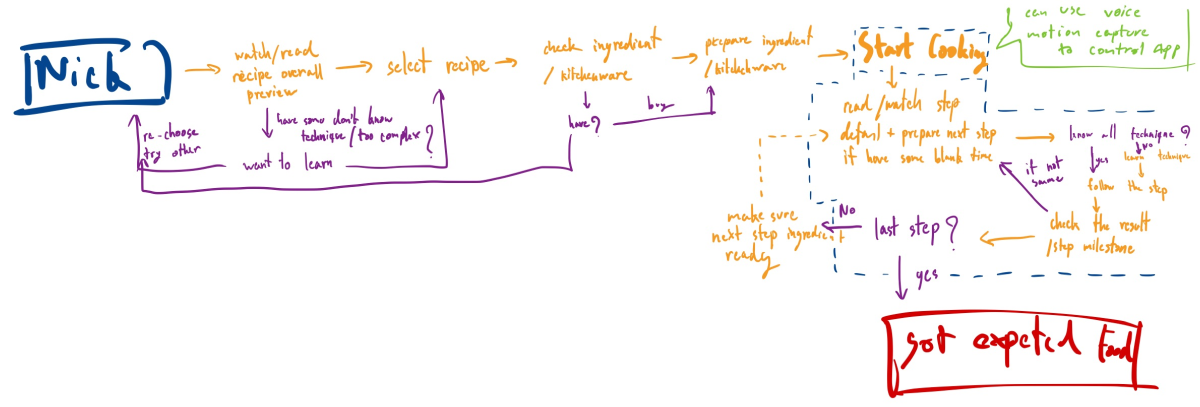
Mapped user problems across the Savr cooking flow to identify where friction occurs. The story map revealed where most issues concentrate.
Story Map
MAP INSIGHT 01
Most user problems arise during the critical “Cooking” or “Start Cooking” step — this is where the experience becomes chaotic.
MAP INSIGHT 02
Within the “Cooking” step, all sub-steps form a continuous loop with a recurring end-of-loop question: Is this the last step?
USER FEEDBACK 01
Recipe details lack clarity: unclear kitchenware requirements, inaccurate cooking times, missing step milestones.
USER FEEDBACK 02
“Users prefer not to repeatedly touch their phones, especially during cooking — which would require frequent handwashing.”
02

Day 2 — Sketch

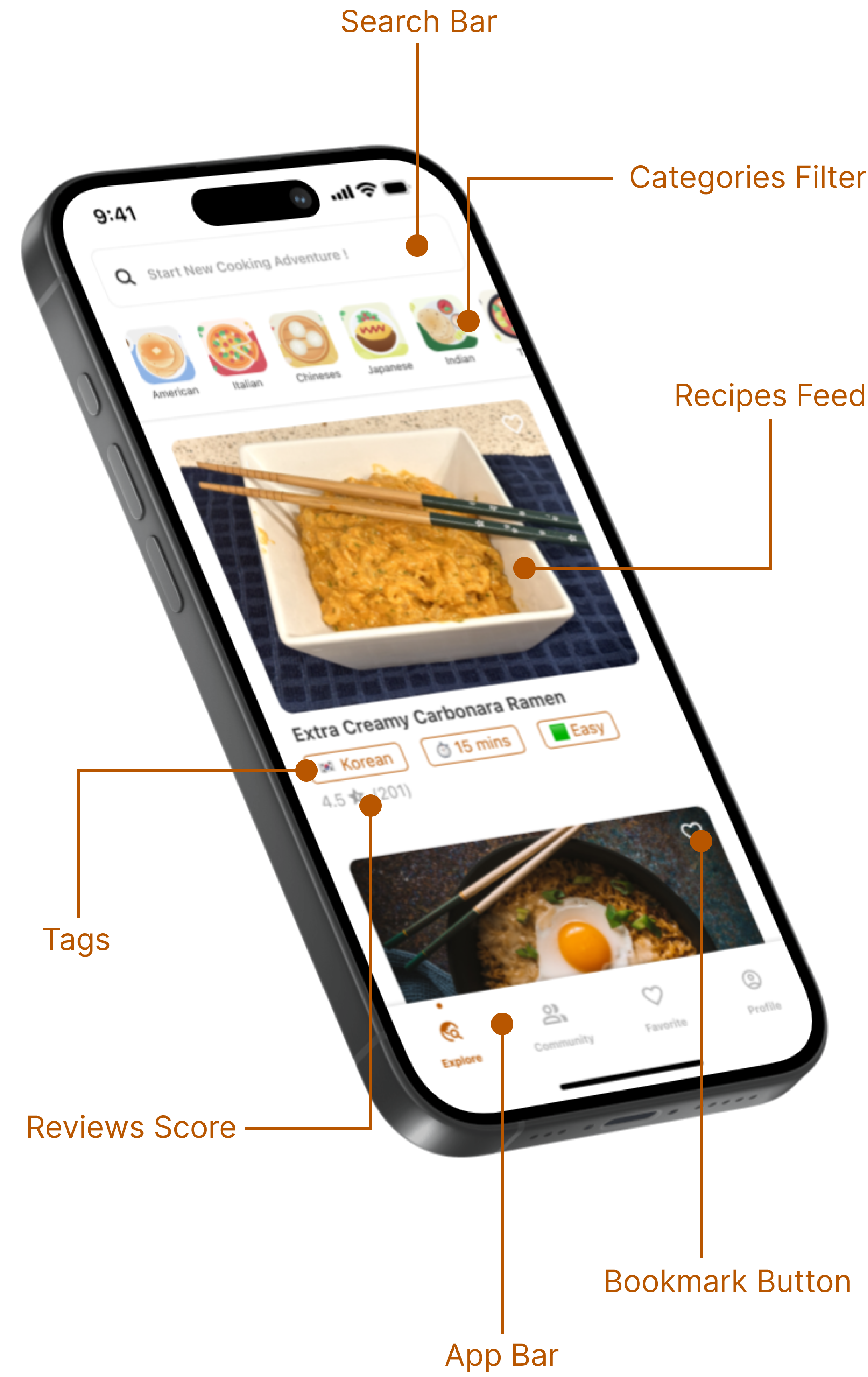
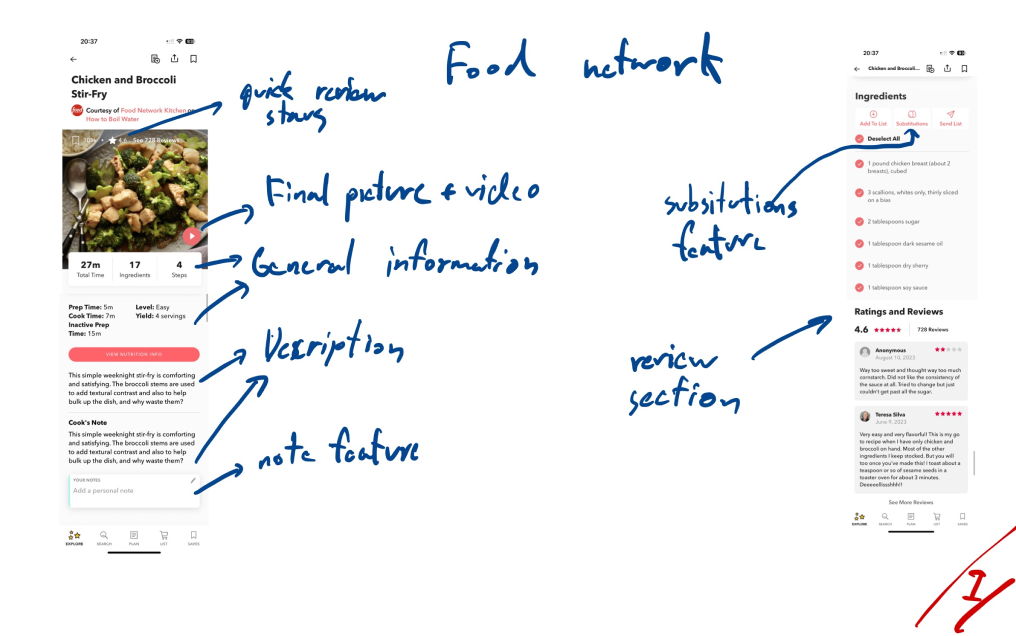
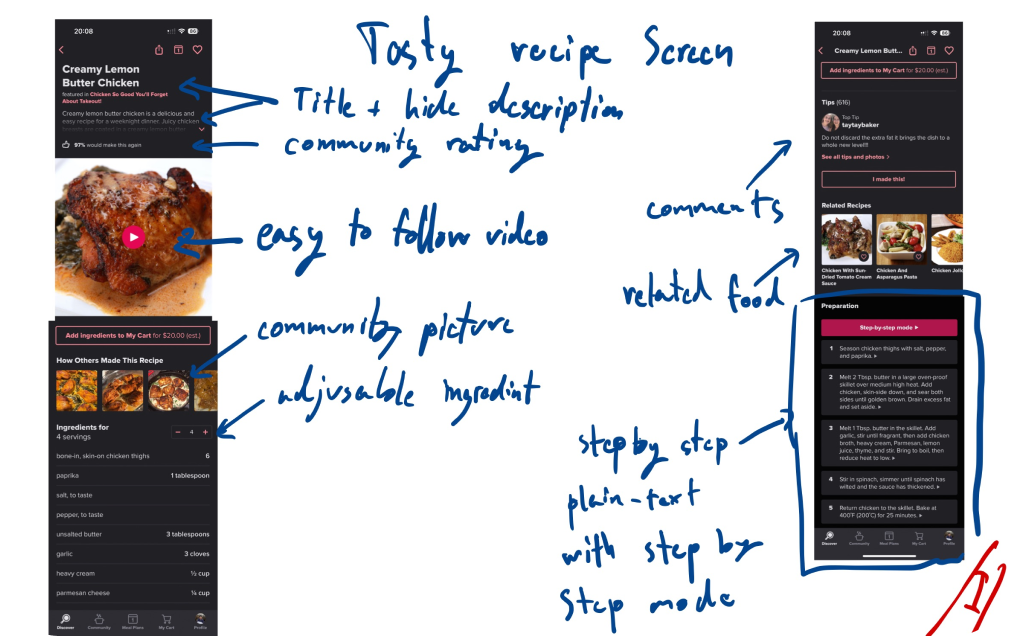
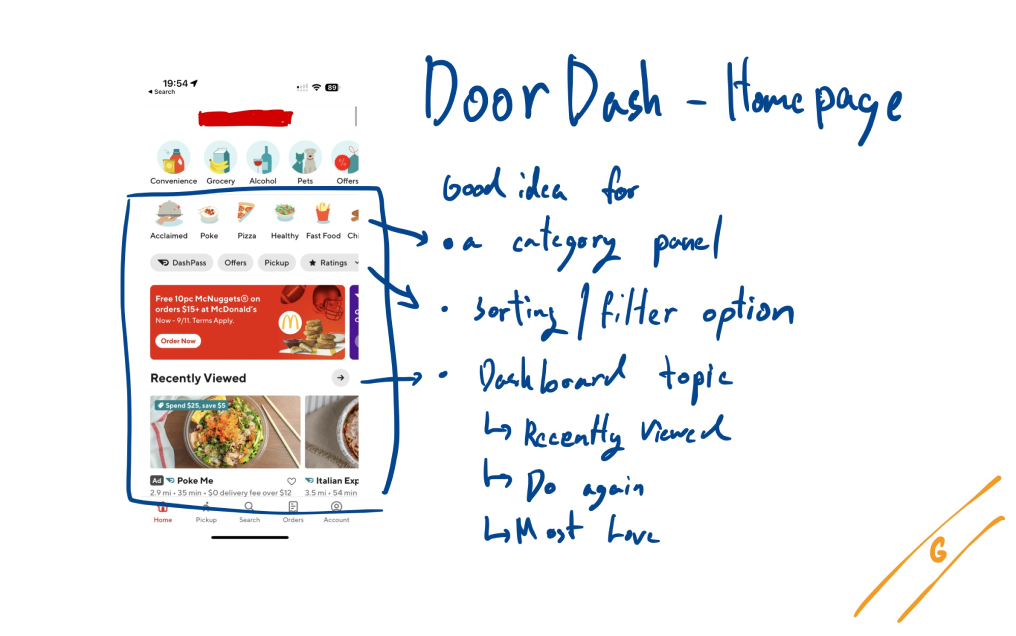
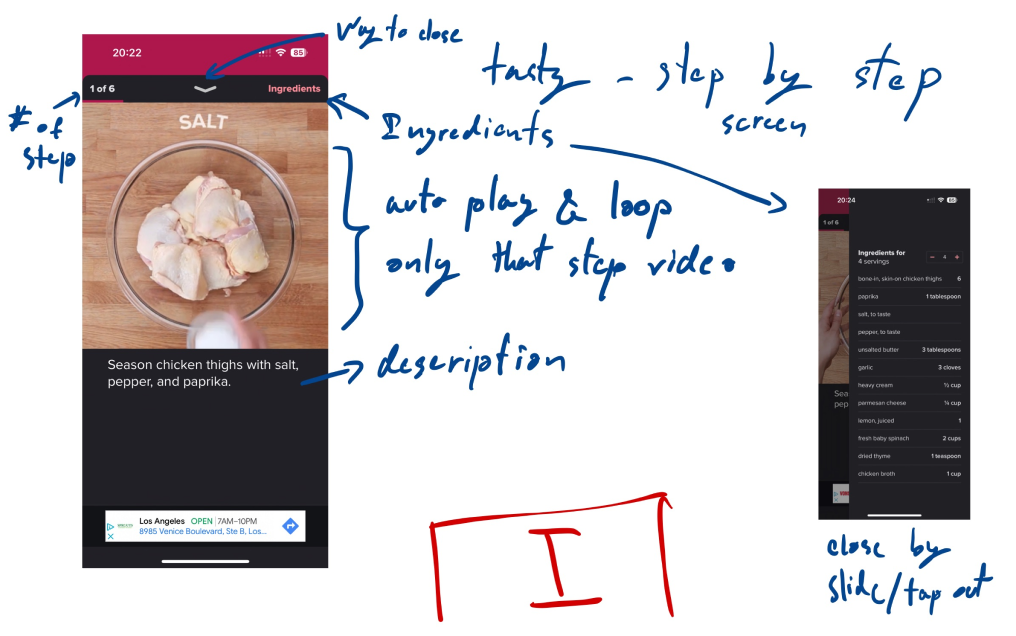
Lightning Demo — benchmarked competitor apps to identify patterns worth adopting and gaps worth solving.
Lightning Demo Insight 1
INSIGHT 01
Most competitors offer a dedicated 'cooking mode' that enhances user-friendliness during the actual cooking process.
Lightning Demo Insight 2
INSIGHT 02
All competitors incorporate visual elements — finished dish images or looping step videos — for each cooking step.
Lightning Demo Insight 3
INSIGHT 03
Bookmark features are common across all major recipe apps.
Lightning Demo Insight 4
INSIGHT 04
One competitor features contextual tips during waiting steps — a pattern that could be used to suggest activities while waiting.

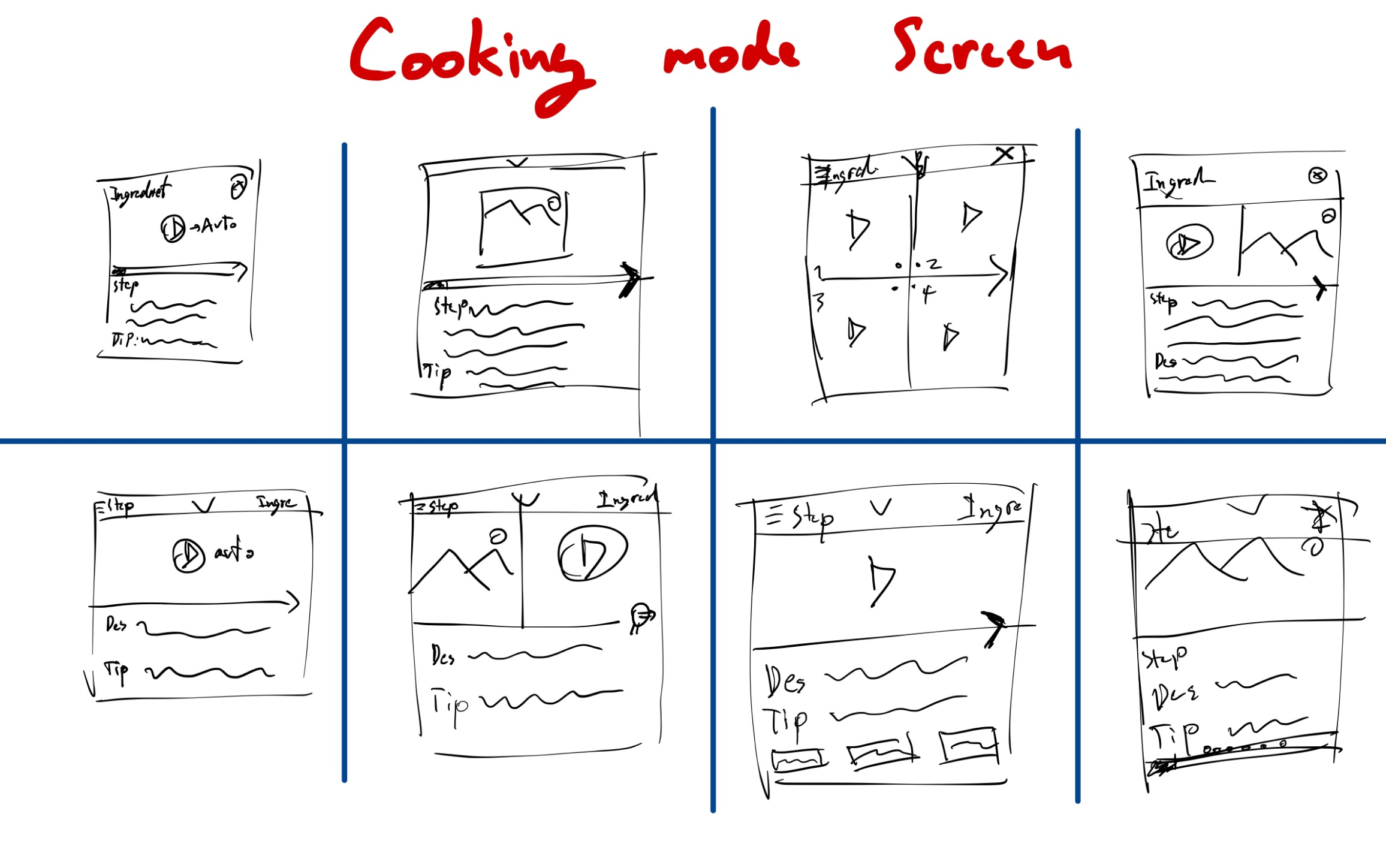
Crazy 8s — rapid ideation to generate 8 distinct concepts in 8 minutes.
Crazy 8s Ideation
CRAZY 8S INSIGHT
Some ideas appeared similar, requiring further differentiation and refinement before moving to solution selection.

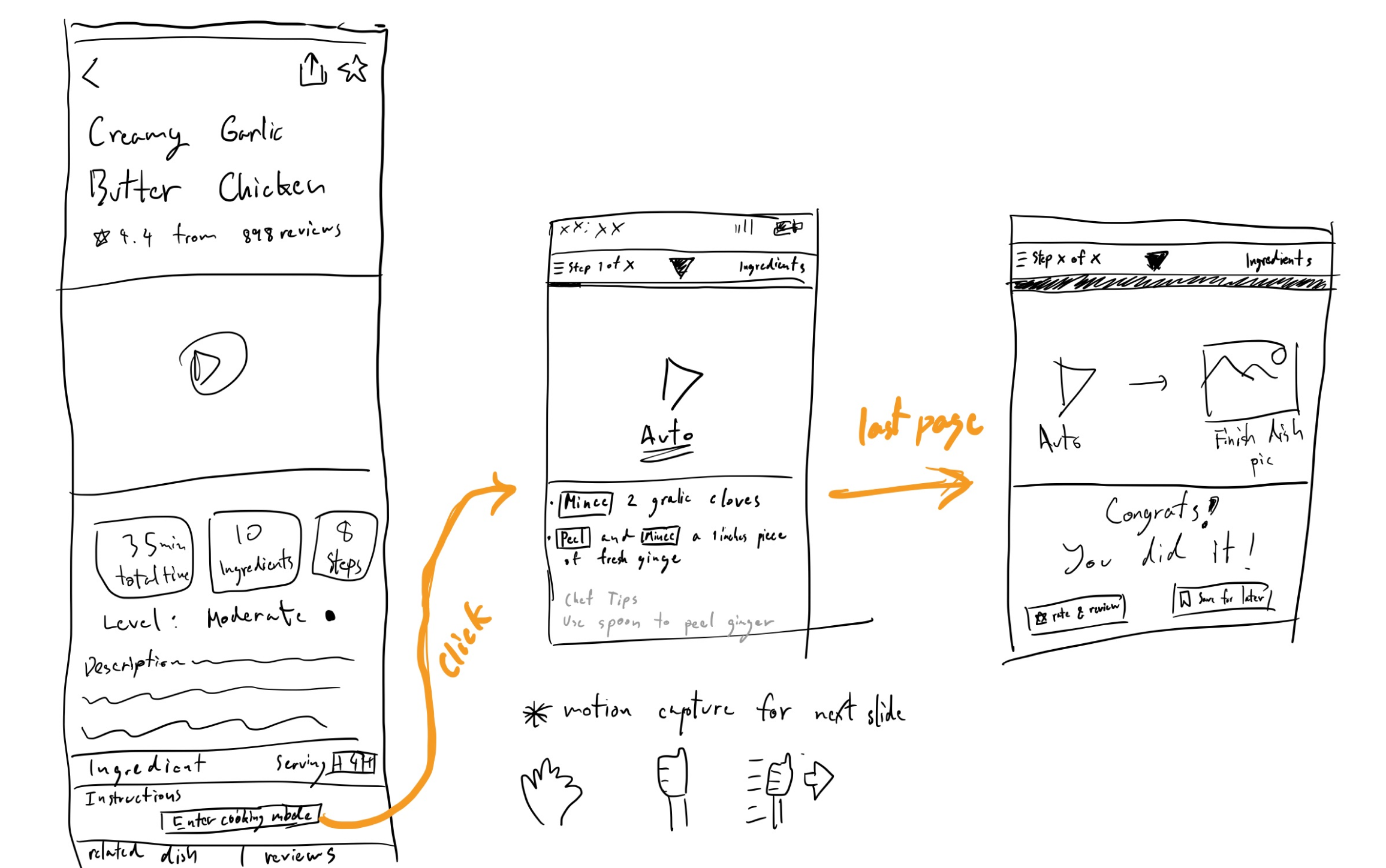
Solution Sketch Selection — evaluated all concepts and selected the strongest one.
Solution Sketch Selection
SELECTION
Design #7 was selected. Created “before” and “after” screens: the “before” displays the recipe with an “Enter Cooking Mode” button; the “after” depicts the finished cooking mode state upon exiting the loop.
03

Day 3 — Storyboard

Built a detailed storyboard to map the full user journey through the Touchless Cooking Mode, identifying key decision points before prototyping.
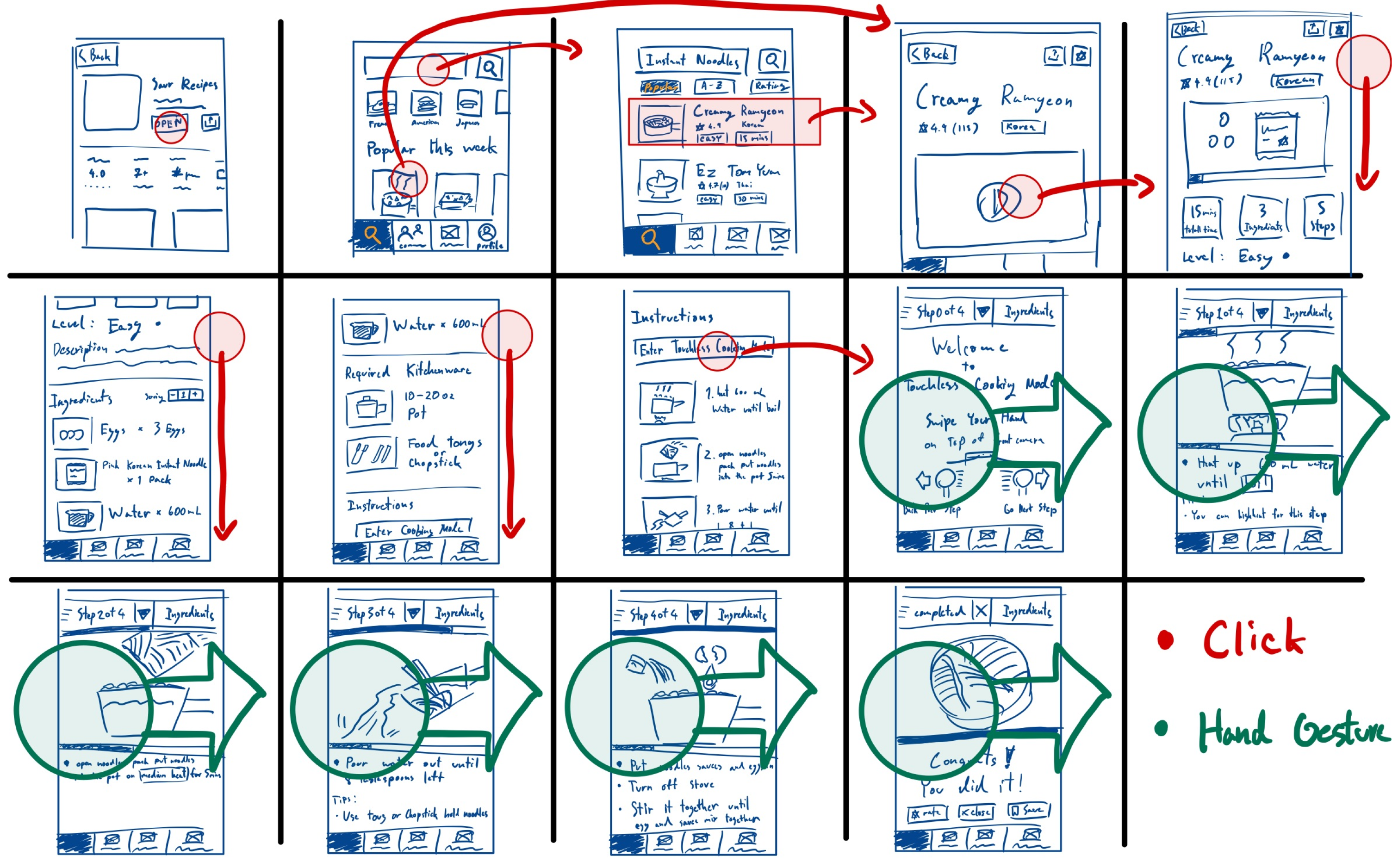
Storyboard
INSIGHT 01
The direction of hand motion needs to be validated with real users during testing.
INSIGHT 02
Need to determine whether motion capture or voice control is the optimal control method for cooking mode.
INSIGHT 03
Incorporating hand motion capture in the prototype may increase the complexity of the testing procedure.
04

Day 4 — Prototype

Built a working Figma prototype covering the core flow: browse recipe → enter cooking mode → complete steps hands-free → exit mode.

INSIGHT 01
Creating GIFs and videos for cooking steps took significantly longer than anticipated.
INSIGHT 02
YouTube licensing restrictions prevented use of platform videos — all cooking step videos were produced from scratch.
INSIGHT 03
The original Savr color scheme did not comply with WCAG AA Standard — a full theme change was required.
INSIGHT 04
Developing simple vector images and illustrations emerged as a skill requiring further development.
05

Day 5 — Usability Test

Type: Informal usability test · 6 users

Location: Zoom (online)

Task: “Find some recipe on this app and try to follow the cooking step without touching the screen while cooking (Don't need to cook real food).”

User qualification: Frequent cook (≥90%), occasional cook (≥50%), rare cook (≥5%)
6
Users Tested
~66%
Preferred Voice Control
~50%
Text Too Small
5 days
Sprint Duration
FINDING 01
~66% of users preferred voice control over hand gestures or motion capture for controlling cooking mode.
FINDING 02
1 participant (16.6%) preferred hand gestures specifically because they listen to music while cooking.
FINDING 03
~50% noted the text in cooking mode was too small and suggested an adjustable text size feature.
FINDING 04
~50% preferred the natural hand gesture direction: right to left for advancing to the next step.
Potential Solutions
Provide users a choice between voice control and hand gestures
Increase font size in cooking mode; introduce a text-adjustment feature
Change hand gesture direction to the natural right-to-left progression
06

Outcomes & Lessons Learned

TIME CONSTRAINTS
The Design Sprint taught valuable lessons about managing a UX/UI project within a short timeframe. When time is limited, efficiency and speed become paramount.
TECHNIQUES & FRAMEWORKS
Recognized need for improvement in certain areas — particularly in using Crazy 8s more effectively to push differentiation between ideas.
UNDERSTANDING LICENSES
Gained deeper understanding of licensing, particularly around using YouTube videos in prototypes. Crucial to respect and adhere to licensing agreements.
HUMAN BEHAVIOR
Gained insight into how users express thoughts and actions differently. Understanding these nuances is valuable when interpreting usability test feedback.
User-suggested features for future
Link hand gesture function to Apple Watch's hand gesture feature
Include dietary preference symbols: gluten-free, vegan, nutritional information
Implement voice narrator for cooking step guidance
Add category search feature for rice, bakery, noodle dishes
END OF CASE STUDY
See more of my work
← Back to Projects
SYSTEM OK
SECTION · HERO
00%
UTF-8 · TSX